

Asphalt 8 came out in 2013. That’s a long time ago for a mobile game, and most phone games from that year are long gone. This one is still getting updates in October 2026.
There’s a reason for that. Asphalt 8: Airborne isn’t a game about perfect racing lines. It’s a game about launching a supercar off a ramp, spinning it through the air, landing on the other side, and hitting the nitro. You go fast, you hit things, you fly, and you do it again. It’s loud, it’s bright, and it gets out of your way so you can have fun.
This page gives you the APK, a clear walk-through of installing it, and a proper look at what you’re getting. That covers the game modes, the control options, the nitro and stunt systems, and a few habits that will save you time and frustration in your first few days. If all you want is the file, the download button is right on this page. If you want to know whether it’s still worth your storage space in 2026, keep reading.
What is Asphalt 8: Airborne?
Asphalt 8: Airborne is an arcade racing game from Gameloft, developed by Gameloft Barcelona. It launched on iOS and Android on August 22, 2013, and it later spread to Windows, tvOS, macOS, and several other platforms. Critics loved it. The iOS version holds a 91 out of 100 on Metacritic, and reviewers kept singling out the graphics, the jump-heavy tracks, and the car selection
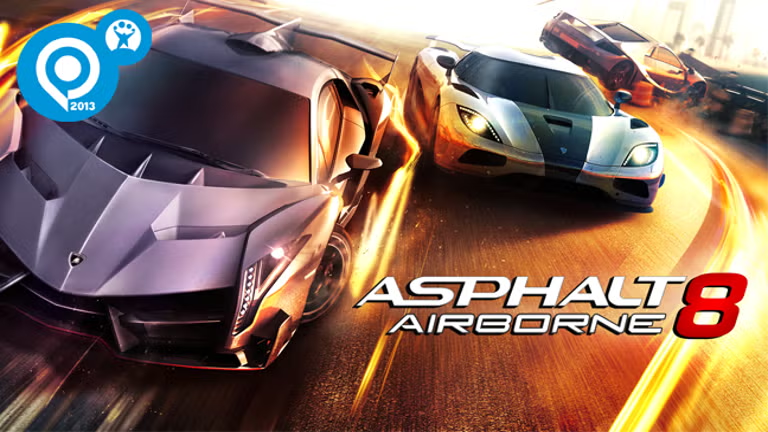
The “Airborne” part of the name is the big idea. The tracks have a lot of ramps, and the game rewards you for using them. You can pull off flat spins, where you spin the car flat as you leave a ramp, and barrel rolls, where you drive off a curved ramp or with half the car on a normal ramp and roll through the air. Both earn you boost, and both look great.
It’s free to play, with optional purchases, and it’s the eighth main game in a long-running series. The newer entry, Asphalt Legends, is the one Gameloft pushes now, but Asphalt 8 still has plenty of fans, and some people simply prefer how it plays.
Similar Apps:
Is Asphalt 8 still worth playing in 2026?
Yes, for a few practical reasons.
First, it’s still being updated. Recent version history shows regular releases through 2025 and 2026, with 9.2.0i uploaded on October 15, 2026. A game that gets that many updates hasn’t been abandoned.
Second, it’s easier on your phone. Asphalt 8 is a lighter game than its successors, so it tends to run well on mid-range phones where newer racers struggle. The listing for the latest build shows Android 7.0 or newer as the requirement, which covers a lot of devices.
Third, it has a huge amount to do. The store description lists more than 220 cars and motorcycles, over 40 tracks across 16 settings, and a career mode with 9 seasons and more than 400 events. That’s weeks of racing.
And finally, it’s just fun. Short races, big jumps, and instant action suit a phone better than almost any other kind of game.
How to download Asphalt 8 APK
Tap the download button on this page and the file will start saving to your phone. Your browser may warn you that this type of file could harm your device. That message appears for almost every APK, so it doesn’t mean this one is bad. It is a fair reminder to only download APKs from sites you trust.
Before you tap, a few small checks make everything smoother:
- Free storage. The game downloads extra data on first launch, so leave a couple of gigabytes free.
- Connection. Use Wi-Fi if you can. A dropped download is a common reason for a file that won’t install.
- An older copy. If you already have Asphalt 8 installed from somewhere else, the new file may not install over it, especially if the older one was signed differently. You may have to remove it first. Check whether your progress is linked to an account before you do. If it isn’t, uninstalling can wipe it.
- Your Android version. Check the minimum version in the app details on this page.
The package name for the game is com.gameloft.android.ANMP.GloftA8HM. If you ever want to check any APK, that’s the one you should see.
How to install it
Android blocks installs from browsers and file managers until you give permission. You only have to do it once per app.
- Open your downloads folder and tap the Asphalt 8 file.
- If Android stops you, tap Settings on the pop-up and allow installs from that app. On newer versions this is under “Install unknown apps.”
- Go back and tap Install.
- When it finishes, tap Open, and let the game finish any extra downloads before you start racing.
- Go back into your settings and turn the permission off again for your browser.
That last step matters more than people think. If “install unknown apps” stays on for your browser, any file you download later can install without a second warning.
If the install fails
“App not installed.” Usually a different version is already on the phone, signed in a different way. Uninstall the old copy and try again. It can also mean the phone is out of storage.
“There was a problem parsing the package.” The file may have been damaged during the download, or your Android version is too old. Delete it, download it again on a steady connection, and check the minimum Android version.
The install button is greyed out. You probably haven’t allowed installs from the app you’re using. Go back to step two.
It installs but closes on launch. Restart the phone, free up storage, and close other apps. If it still closes, a clean reinstall usually fixes it.
The game says it needs an update. Asphalt 8 is partly an online game, so an old version may refuse to connect. Download the latest file from this page.
It’s slow or choppy. Lower the graphics quality in the game’s settings, close background apps, and let the phone cool if it’s warm.
Key features
A big garage
The store description lists more than 220 cars and motorcycles, with licensed models from major manufacturers. You can collect them, upgrade them, and repaint them. The game has been around long enough that the roster covers everything from everyday supercars to rare hypercars, and the garage is a big part of the long-term appeal.
Tracks around the world
You race on more than 40 tracks across 16 settings. Locations in the game’s history include Venice, London, Barcelona, Tokyo, Monaco, the Nevada desert, French Guiana, Iceland, the Alps and Tenerife. Each setting has its own look, and the tracks are built around ramps, shortcuts and spots where you can show off.
The boost system
This is where Asphalt 8 gets interesting. You earn boost by jumping, smashing through obstacles, and nearly missing traffic. There’s also Perfect Nitro, where you activate your nitro in the red zone of the gauge for a stronger kick. It’s a small skill that gives you a real advantage once you get the timing right.
Stunts
Flat spins and barrel rolls aren’t just for looks. Both earn you boost, and in some events, performing stunts counts toward your star rating. They’re a core part of how the game plays.
Visuals
For a game from 2013, it still looks great, and Gameloft has kept updating it. The lighting, the car models and the speed effects were a huge part of why critics loved it at launch.
Game modes
Career. This is the main mode. It started with 180 events across eight seasons and has grown since. The store description now lists 9 seasons and more than 400 events. Each event uses a five-star system: first place earns three stars, second two, third one, with extra stars for secondary goals like performing stunts or knocking down opponents.
Infected and Gate Drift. These are special race types that change the usual rules, so a race isn’t always just “finish first.” Try them in the events list and see which ones suit you.
Limited-Time Cups. Special events that run for a short period, usually with exclusive cars or rewards.
Multiplayer. You can race other players online in seasons and leagues, and race against rivals’ ghost cars asynchronously. It’s the best place to test your skills against real people.
Controls
Asphalt 8 gives you four ways to drive, which is a nice touch because everyone holds a phone differently.
- Tilt to steer. You steer by tilting the phone.
- Tilt and icons. You tilt to steer and use on-screen icons for the other actions.
- On-screen controls. Steering and actions are handled with touch buttons.
- Tap to steer. You steer by tapping the screen.
Try each one for a few races before you decide. Tap to steer is a good place to start if you’re new, since you don’t have to move the phone. Tilt-based options can feel more natural once you’re used to them. The right choice depends on how you hold your phone, so there’s no wrong answer.
Tips for beginners
Use the ramps. Jumps give you a boost and look great. If a ramp is on your line, take it.
Learn Perfect Nitro. Activating nitro when the gauge is in the red zone gives you a stronger boost. It takes a few races to get the feel for it.
Don’t waste nitro in corners. A boost into a turn sends you wide. Use it on straights and when you leave a ramp.
Take out obstacles and near-miss traffic. Both fill your boost bar. Being aggressive pays off in this game.
Perform stunts for the stars. Flat spins and barrel rolls aren’t only for show. They help you hit secondary goals in events.
Upgrade the cars you actually drive. Spreading your resources across too many cars slows you down. Pick a few and build them up.
Try all four control schemes. Your first choice may not be your best one.
Don’t rush. Career mode is long. Enjoy it instead of grinding for the next car.
Asphalt 8 or Asphalt Legends?
Both are from Gameloft, and both are free. Asphalt Legends is the newer game, with a bigger car list and online features such as cross-play. Asphalt 8 is lighter, simpler to run, and has a classic feel that a lot of players still prefer. If your phone is a few years old, or you just want a no-fuss racer, Asphalt 8 is a good choice. If you want the latest features and a bigger multiplayer scene, try Asphalt Legends.

About mod APKs
You’ll find plenty of pages advertising an “Asphalt 8 Mod APK” with unlimited money and every car open from the start. We don’t offer one. The file on this page is the original game.
Here’s the practical issue. Your account, progress, and online features are tied to Gameloft’s servers, so a modified file can cause problems the moment it touches them. It can also carry malware, ask for permissions it doesn’t need, or get an account banned. Handing every car to yourself on day one also removes the part that makes the game fun. If you want to check any APK yourself, look at the file size, the package name and the permissions it asks for, and scan it with Google Play Protect or VirusTotal.
FAQ
Is Asphalt 8 free?
Yes. It’s free to download and play, with ads and optional purchases.
What’s the latest version?
At the time of writing, 9.2.0i, which was released on October 15, 2026. Check the app details on this page for the current build.
Who makes it?
Gameloft.
Is Asphalt 8 still updated?
Yes. There have been regular releases through 2025 and 2026.
How many cars does it have?
The store description lists more than 220 cars and motorcycles.
Can I play offline?
Career mode is the part most people play on their own, but online features need a connection. Open the game without a connection to see what’s available.
Will it run on my phone?
Most recent phones should handle it, and the latest build lists Android 7.0 or newer. The minimum version is in the app details on this page.
Why won’t it connect?
You probably need the latest version. Download the newest file from this page and install it.
Will I lose my progress if I reinstall?
It might, if your progress isn’t linked to an account. Check before you uninstall.
What are the controls?
Tilt to steer, tilt and icons, on-screen controls, and tap to steer.
Is it safe to install?
The file here is the original game. As with any APK, scan it, check the permissions, and only install from sources you trust.
Final thoughts
Asphalt 8 has lasted this long because it does one thing well: it makes fast cars and huge jumps easy to enjoy. Install it, try the four control styles, hit every ramp, and don’t worry about racing perfectly. That’s not what it’s for.